 matterhorn103@discuss.avogadro.cc
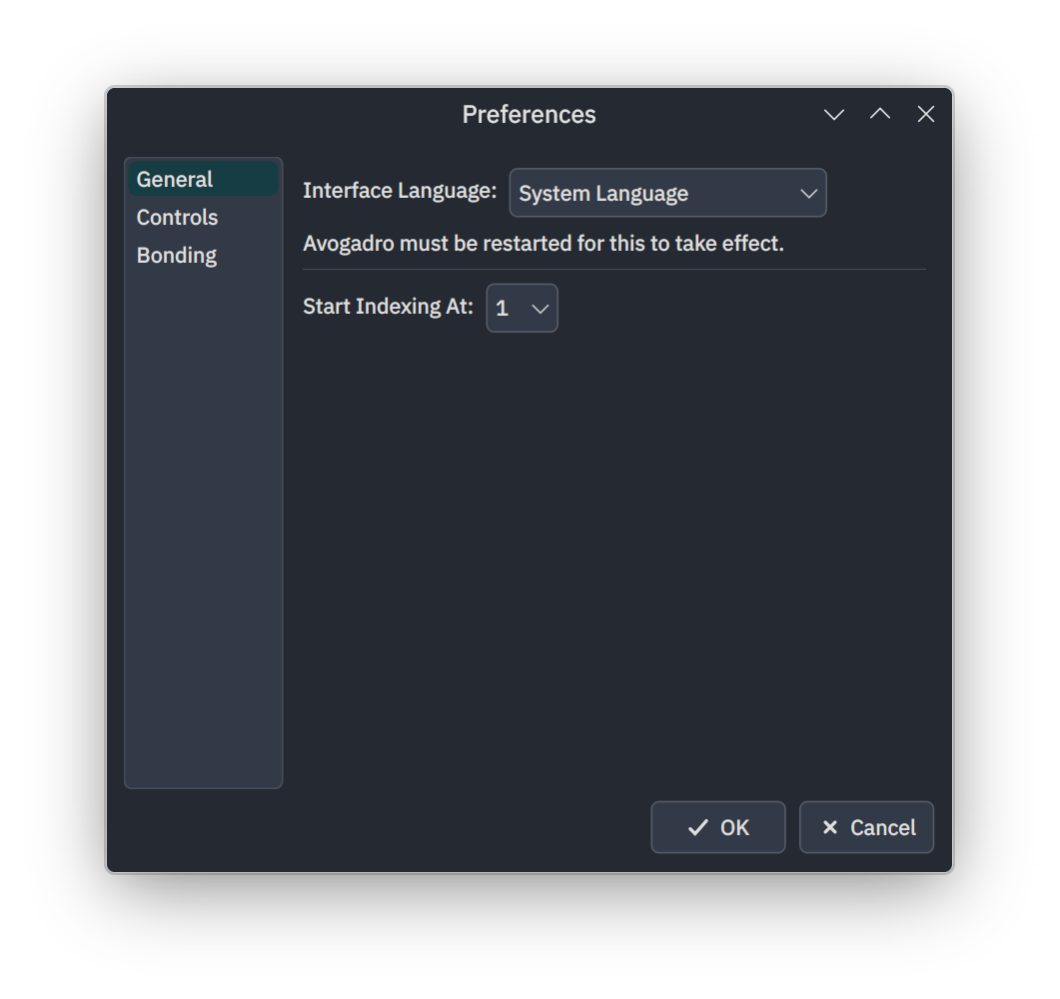
My task for this month has been to finally add a preferences dialog to Avogadro, so that application settings can be set in one central place.
I now have a prototype dialog finished that is, pending revision and any bug fixing, ready to go. avogadroappPR #924 has the work in it, if anyone is interested in checking it out before it's merged.
Here's how it looks:
[grid][/grid]
It is accessed via Edit > Preferences…, or from the Apple/Application menu on macOS, if I've done it correctly. It can also be opened using the Ctrl+, keyboard shortcut.
As you can see, the dialog is still fairly empty, but the idea is that now that the dialog exists, new settings can be added to it more easily, and things that are still set elsewhere can be migrated gradually.
Not everything will necessarily be moved here – it makes more sense for some options to be set contextually rather than globally.
It's worth noting that while the indexing and scroll inversion choices are both saved to the user config file, the indexing doesn't actually affect anything yet, and a change to the scroll inversion setting isn't respected until restart.
---
Feedback, comments, suggestions all very welcome!
Discuss this on our forum.
Currently I’m envisaging eventually having the following pages:
While this is a nice idea, it’s going to be tricky with translations and localizations.
I think it’s a great start for sure.