 tips@vivaldi.com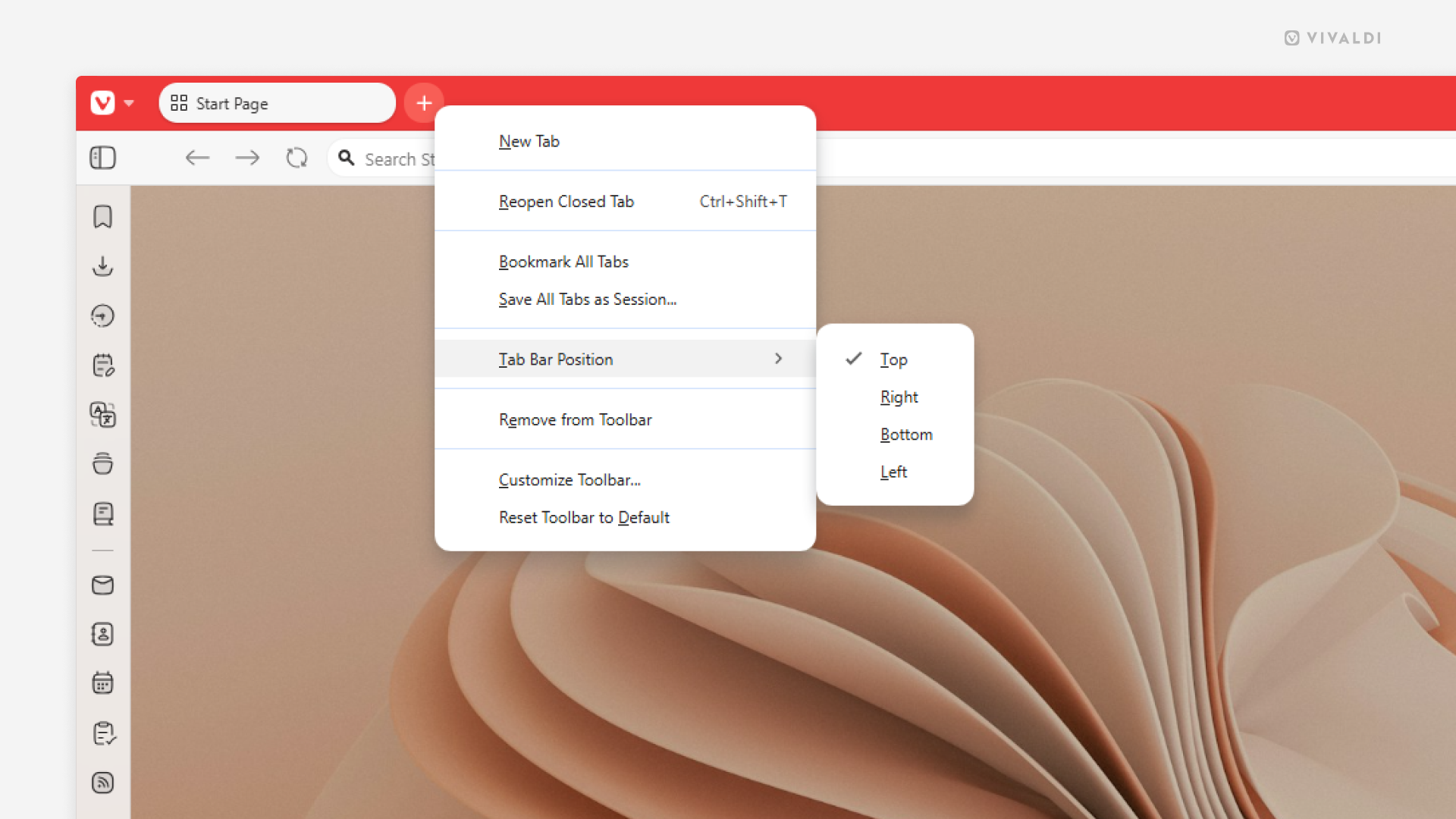
Tip #808
Image

Change the Tab Bar’s location directly from the Tab Bar.
While you can always go rummaging in the Settings to change the Tab Bar‘s location, there’s also a quick way to do it directly from the Tab Bar.
To move the Tab Bar:
- Right-click on the
+“New Tab” button on the Tab Bar. - Hover over the “Tab Bar Position” option in the menu.
- Select the Tab Bar’s new location – top, right, bottom, or left side of the browser window.