Towards the end of last year, I was requested to get some data off of an old computer for a relative. It was an HP from the late 2000s, and time had clearly not been kind to the device. Either that, or it was an economy class tower, which even back in the day would've been sluggish to use. What I can tell you is that it took several minutes to fully load into its Windows 7 installation. Its strained hobbling to the finish line left me with a desktop that—even with performance optimizations I went through—was just barely tolerable to navigate with. I had my fun using a classic exploit to bypass the login with a burned Windows 7 DVD I hadn't used in over 15 years, absconded with the important data, and left the PC to collect dust. Recently however, a bout of spring cleaning gave me a thought: could it run a current GNU/Linux system?
I had to use that DVD, because this device is old enough that the BIOS doesn't have the capacity to boot from a USB stick. If there's any hope that this can be usable in 2026, I want to find out! With that being said, I set off to work seeing if there was anything even remotely lightweight enough to attempt at all. To my surprise, I was quickly able to find a few options, but the one I ultimately decided upon was Q4OS. I figured a Debian based i386 system, with very minimal packages, and a desktop environment forked from a early 2000's KDE project would be about as good of a shot as I was going to get.
While I was burning myself a nice DVD of that on my other computer, I was also thinking about what other problems could be hammering this at-risk doorstop. I ended up making a short itinerary which might address some of the speed issues:
- A thorough dust cleaning.
- Replacing the HDD with an SSD.
- Removing and reapplying CPU thermal paste.
Surprisingly, the device was rather clean when I opened it! I still had dust to clean—particularly from the fans—but compared to what I was expecting, I was fairly shocked. Perhaps it's been sealed in a box for a long time, but who knows. What I do know is that I can easily fish out one of the tiny SSDs from my assortment of computer parts. I was actually a little concerned I wouldn't be able to use the connections for more “modern” 2.5” and 3.5” drives, but thankfully that wasn't an issue. It just slipped right in, and I just let it stick out haphazardly of the drive bay, since it has no support for a 2.5” drive. Not like it has any moving parts anyway, what could possibly go wrong?
The final bit I figured was the most important—assuming there was any easy fixes left—as poor thermals on a CPU can bottleneck it severely. After taking off the thermal block, I was greeted with a lovely patch of what was effectively dust on the core and the thermal block. I gave that baby a nice alcohol swab, and threw on some fancy expensive thermal paste. It was just gathering dust after my last cooling system replacement anyway, so why not get a little fancy with it I suppose. I closed the cleaned up fossil, grabbed my freshly minted Q4OS DVD, and hope things work according to plan.
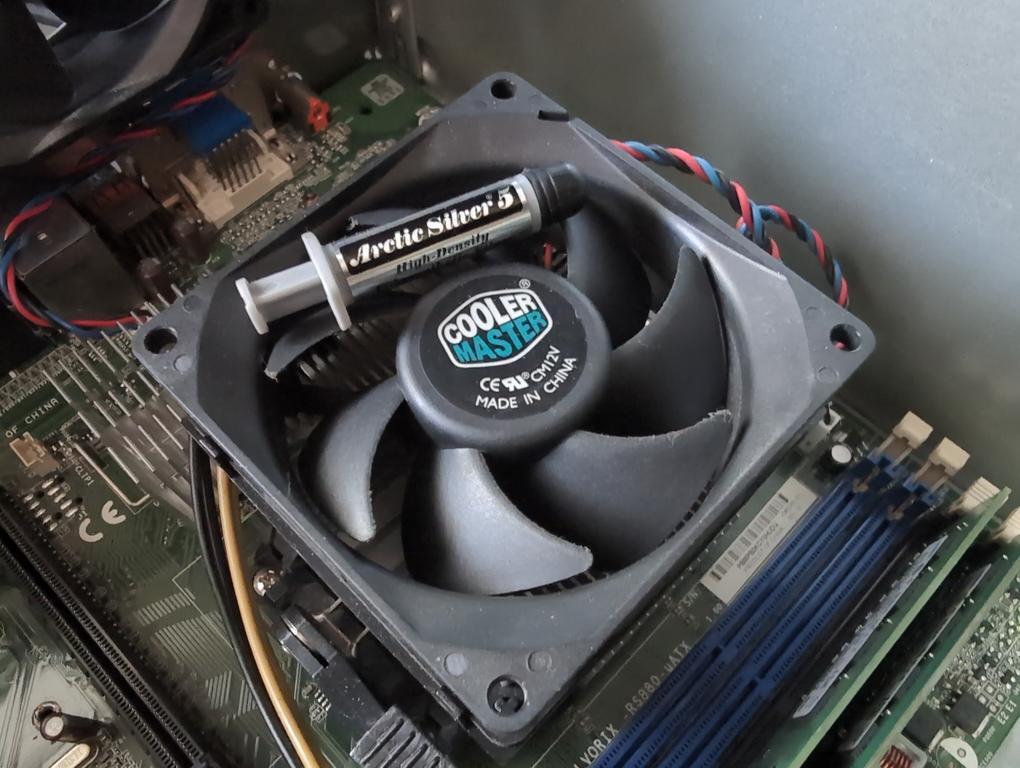
“All pasted up!”
The PC thankfully POSTs as expected, and I'm able to load the DVD pretty quickly! Everything installs to the SSD, and before I know it, I'm able to check out the system on my device. First of all, I cannot stress how fast this boot is in comparison to what it was before. I went from the better part of 10 minutes to get to the desktop on Windows 7, to 25 seconds from power on to desktop. It's not the speeds of a modern M.2 or anything, but for a current GNU/Linux distribution on a budget device from almost 20 years ago—it's incredible. Not only that, but it's responsive too, with Trinity showing little signs of sluggishness moving windows or navigating the system at all.
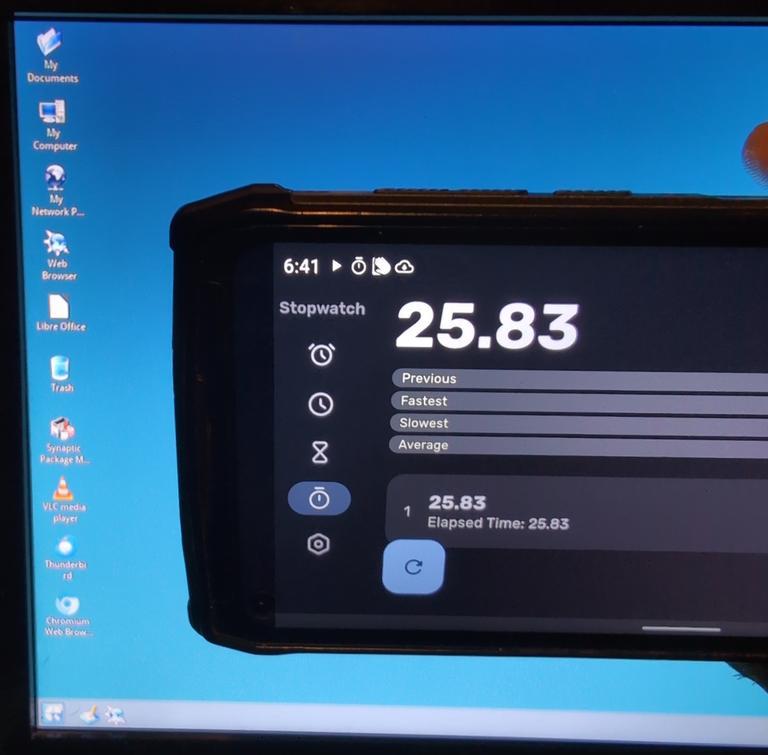
“Certified speed demon.”
But, okay, the base environment works well; applications need to work also. I don't expect this thing to be a workhorse, but I would need it to run a modern browser, and perhaps some other local applications. Surprisingly, it does pull this off! I wrote something in LibreOffice Writer, I navigated a number of sites and watched PeerTube videos in Chromium (sadly Firefox had issues), listened to music, and even opened my KeePass file! The last one was funny, as it really showcased how slow this device is. My decryption is based on one second of CPU load for my computer from 2016, and it takes this device 45 seconds to open it—almost twice the boot time!
The only major issue I noticed was that 1080p 60 FPS videos glitch out on VLC. Given that the load of even 720p videos is nearly 60% of my CPU, I assume this is some sort of hardware limitation, or perhaps something to do with codecs? Not interested in installing anything proprietary though, and perhaps it's just not available for this flavor of effectively very old device cut back Debian. It's not even the most recent Debian base I should add, just a still supported one for the next couple of years. In the end though, I've proven that this old PC didn't have to be a paperweight at all; it's perfectly capable of running modern software. I'm impressed, and a bit emboldened to see what other old computers are out there I could breathe life back into. I'm actually writing this blog entry on the late 2000s PC while watching a PeerTube art stream in another tab.
I feel like I should use this PC for something more, but I'm not quite sure just what yet. Only time will tell, but I'll keep putting mileage into it, and see where the wind takes me.
All writing is licensed under CC-BY-ND with attribution to Foxfire. The FSF recommends this license for opinion pieces.